
Access for other users to an account in the NaviCompact App
2023-02-13

At any time, you can add other users to your account in the NaviCompact app.
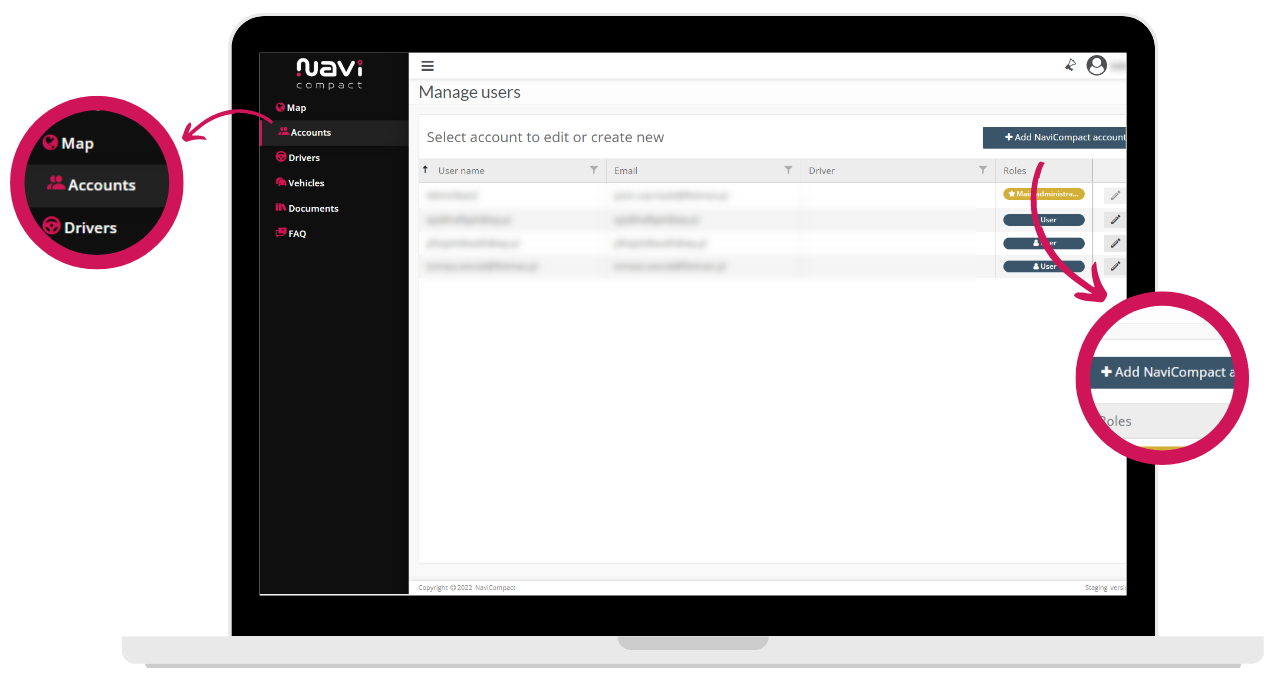
To create a new user account:
- Select "Users" from the side menu.
- Click on the "+ Add NaviCompact account" button on the right side of the screen.
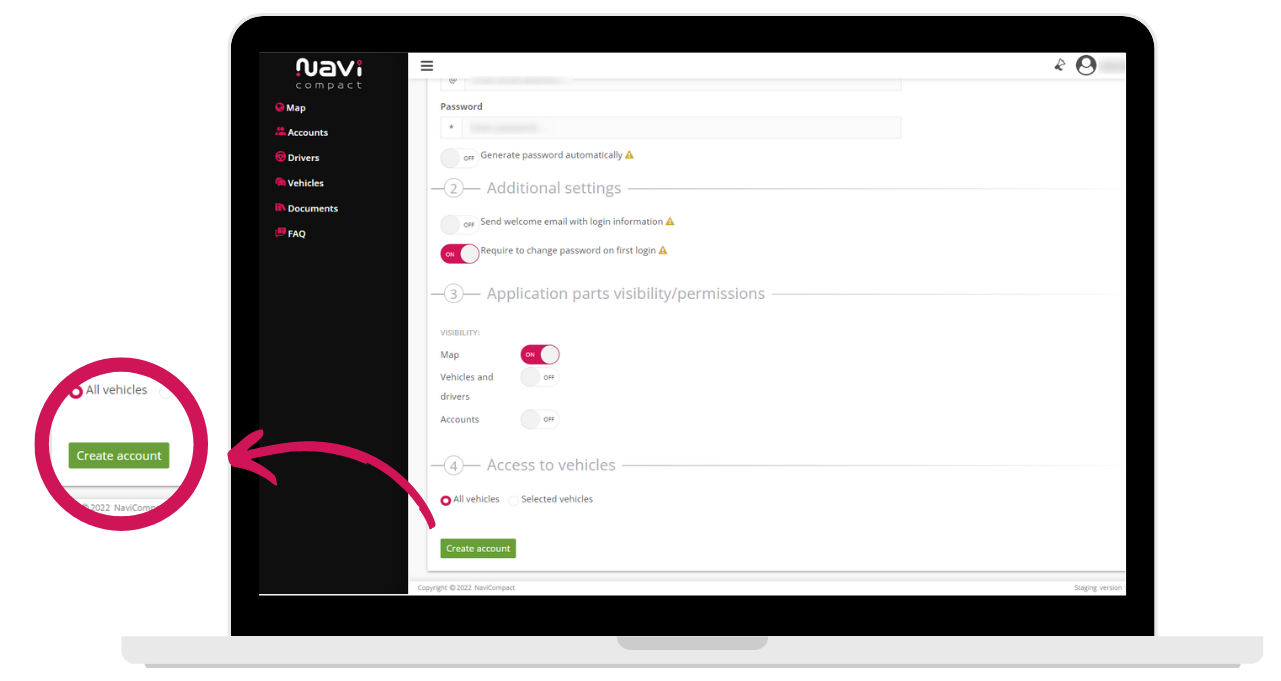
- On the "Create New User" card in "User Data," enter an email to serve as the username, and select the options for visible modules, permissions, and vehicles visible on the account.
- Confirm the entire procedure with the green "Create User" button located at the bottom right side of the screen.
Show more entries from
February 2023